 GamerTune
Game on. Monitoring off.
Monitoring pauses entirely during fullscreen and borderless games, and benchmarks including 3DMark, Cinebench, and Geekbench. No polling or automatic settings changes interfere while you play or measure performance.
Windows gaming, kept in check
GamerTune watches your Windows 11 gaming settings, detects drift, and restores your preferences in one click.
29+settings monitored
~34 msCPU / 30-second check
~17 MBRAM in tray
A confession
Naming isn’t my strong suit — I’m a much better developer than I am a namer. The app, though, is genuinely, extremely useful. Think you can do better? Suggest a better name →
The control surface
Know what changed, choose what matters, and keep your Windows gaming settings where you want them.
01 / Status
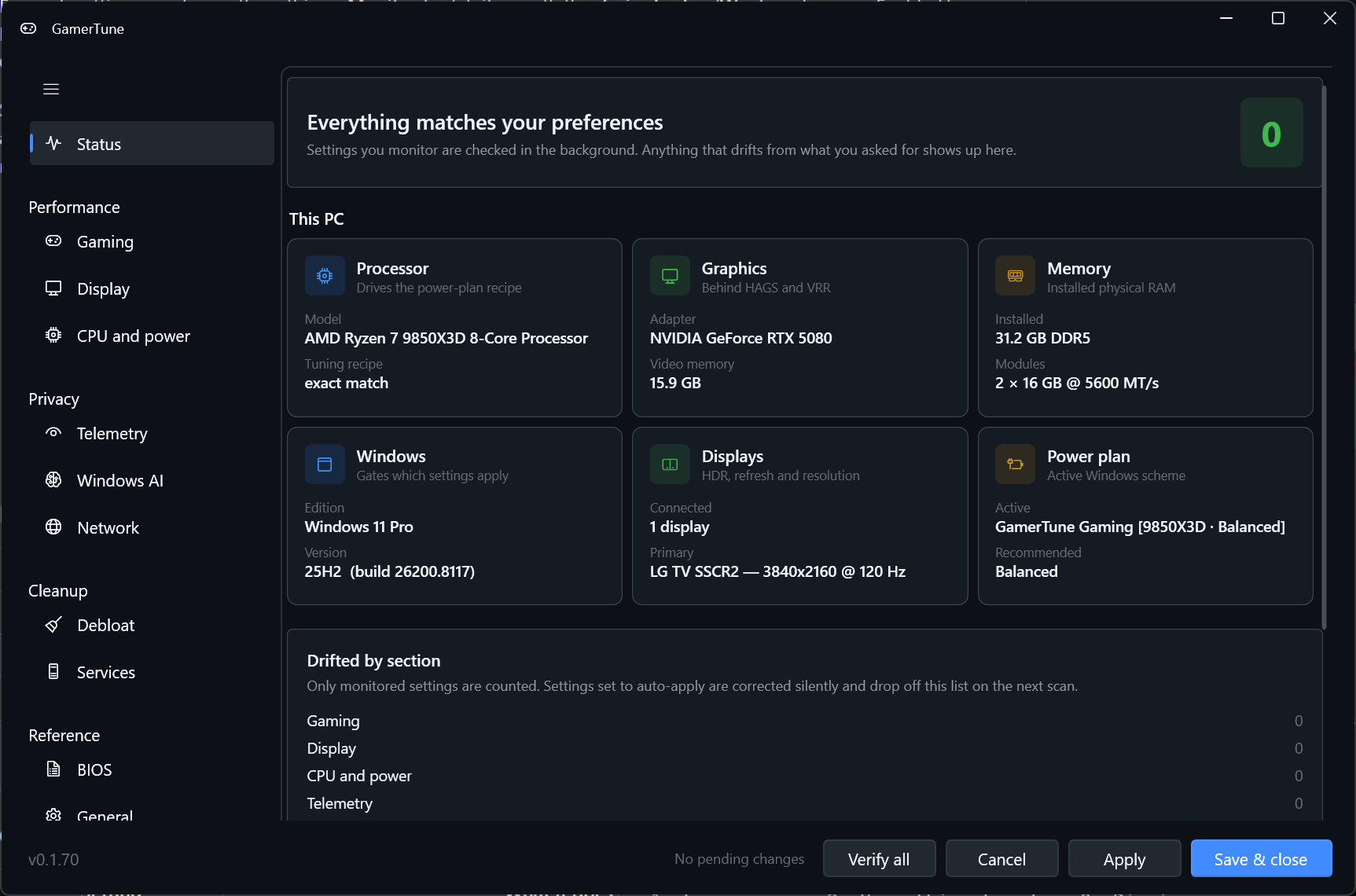
Windows and driver updates can silently turn HDR off or reset your refresh rate. The Status dashboard detects settings drift and groups it by section, so you can see what changed without checking every Windows menu.
Select image to enlarge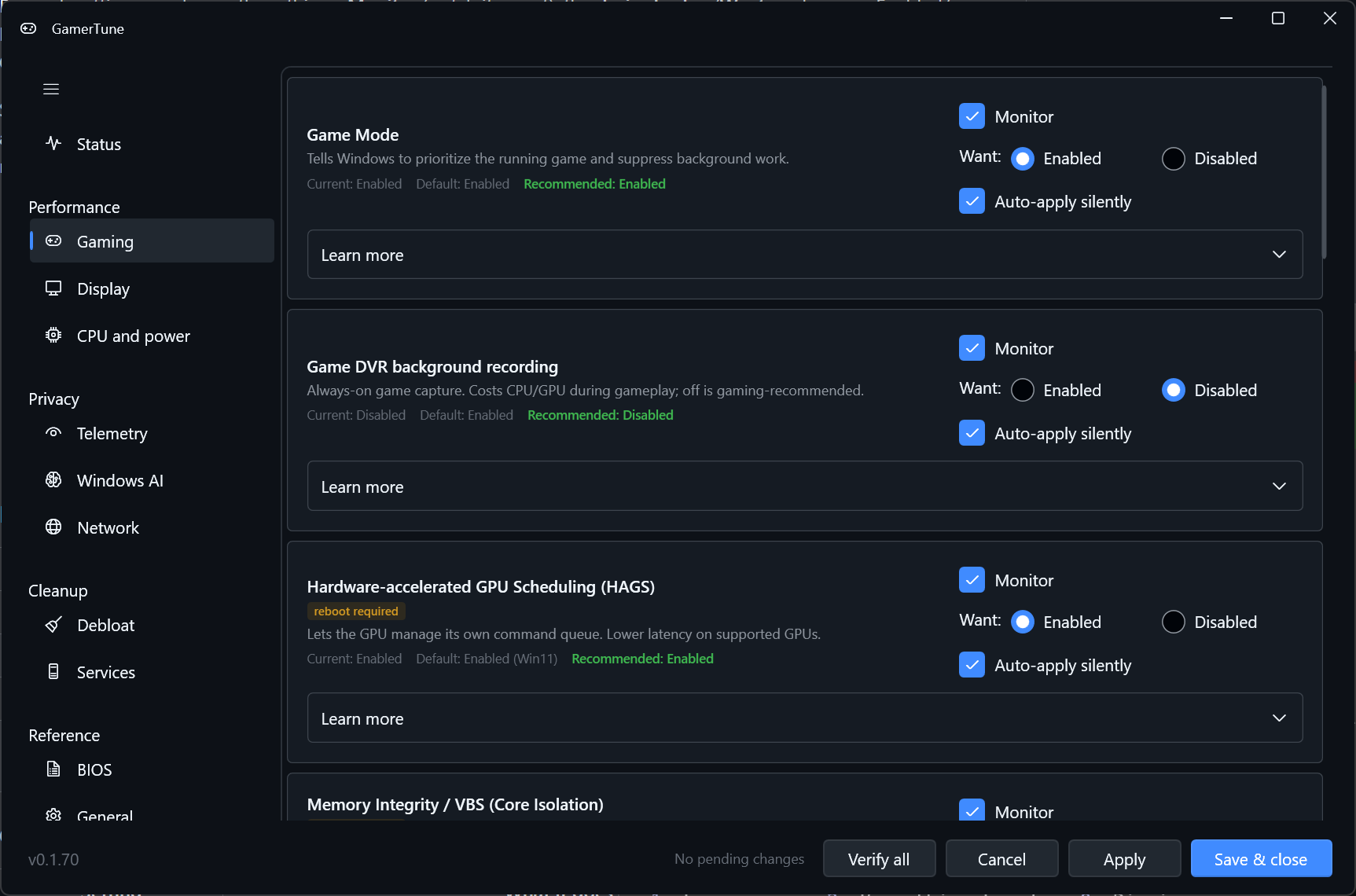
02 / Gaming
Use Monitor to choose what GamerTune watches, Want to set your preference, and Auto-apply to keep that individual setting correct automatically. Auto-apply is opt-in and off by default. Prefer to decide each time? Review staged changes and fix drift in one click with Apply.
Select image to enlarge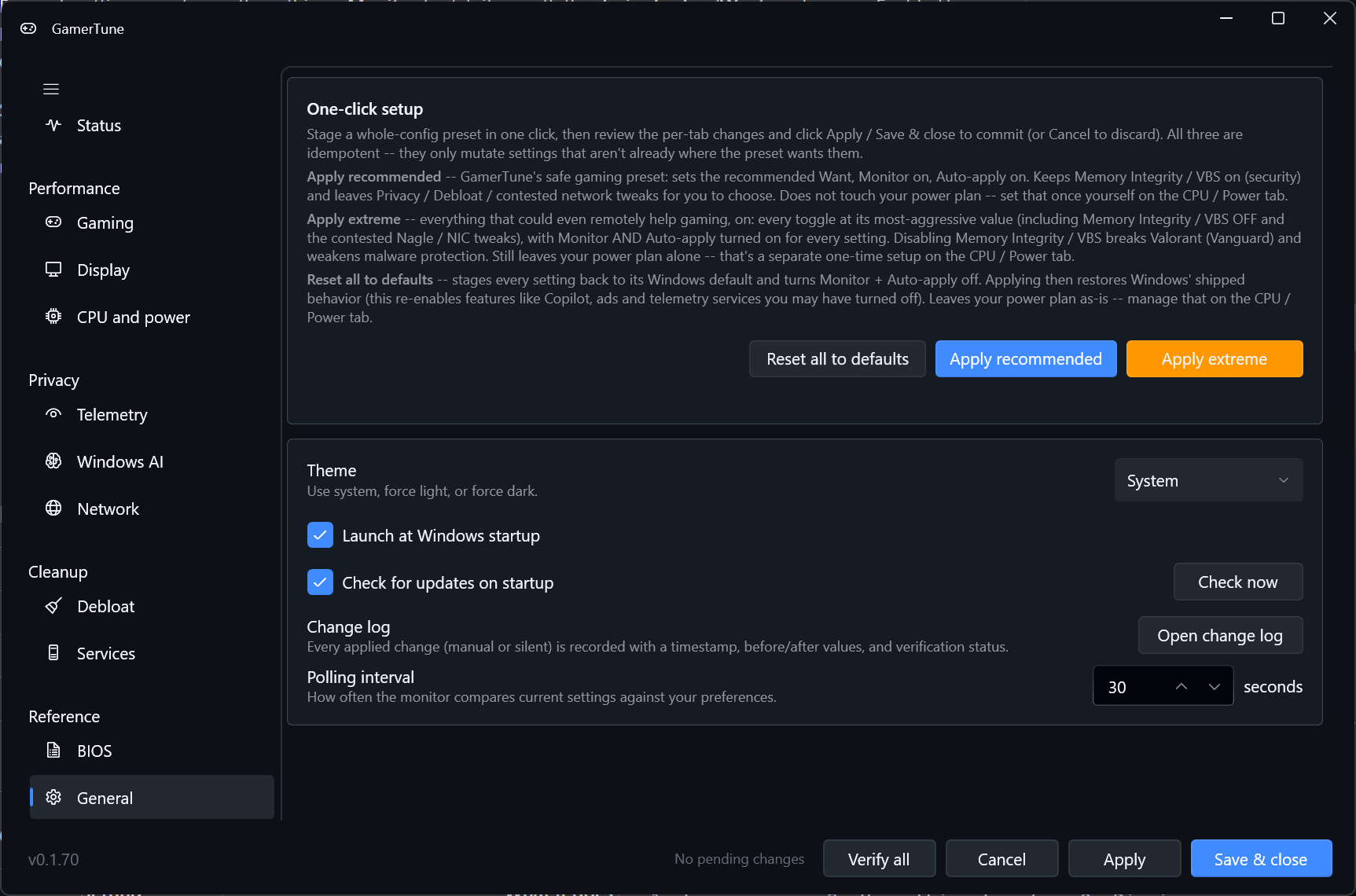
03 / General
Three presets give you a starting point across every tab. Every change is reversible and logged, so you can experiment and retrace your steps.
04 / Display
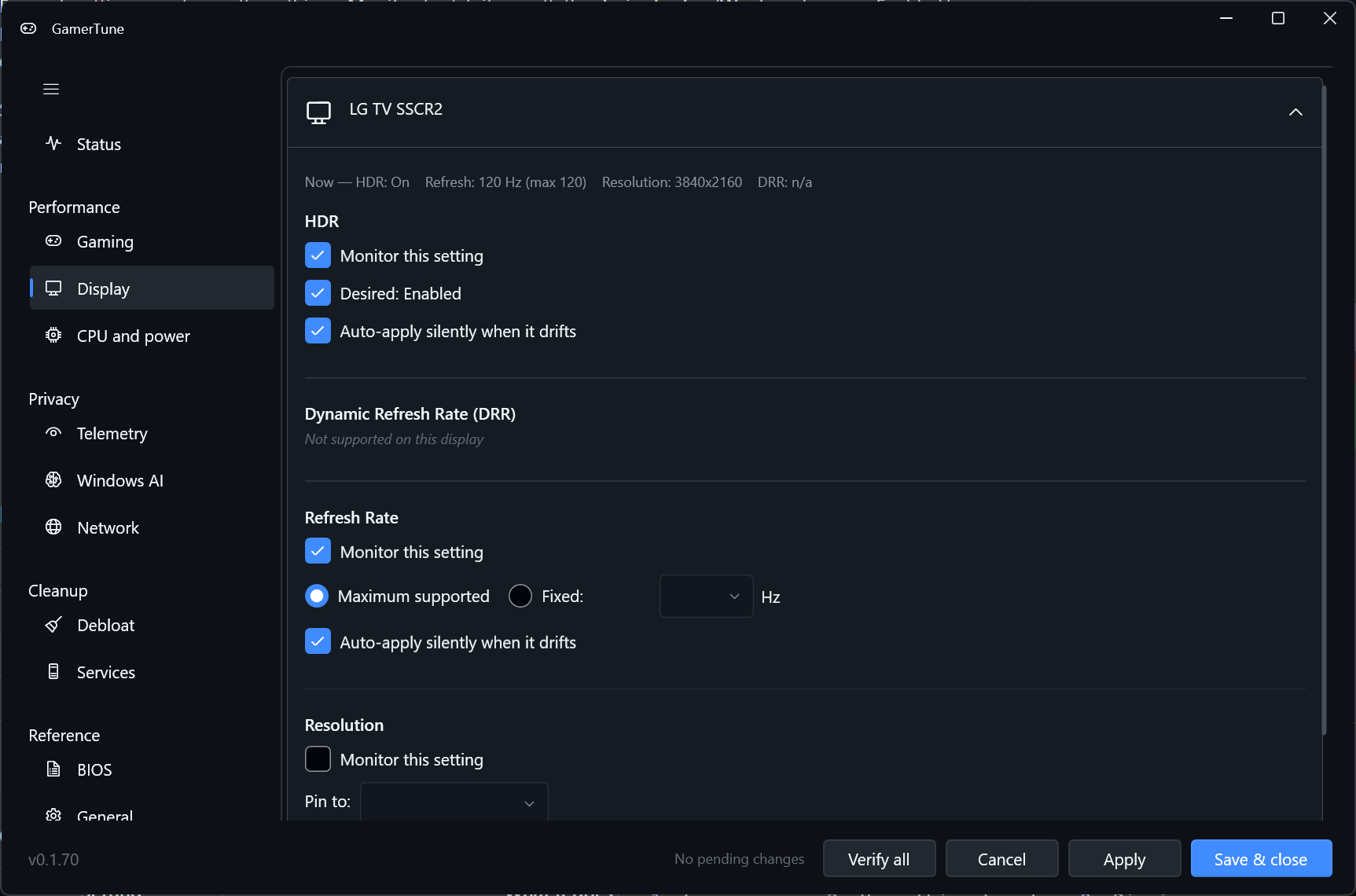
Track HDR, refresh rate, resolution, and Dynamic Refresh Rate (DRR) per display. See when your configuration changes and restore your preferences, so a driver update does not leave you playing at the wrong refresh rate.
Select image to enlarge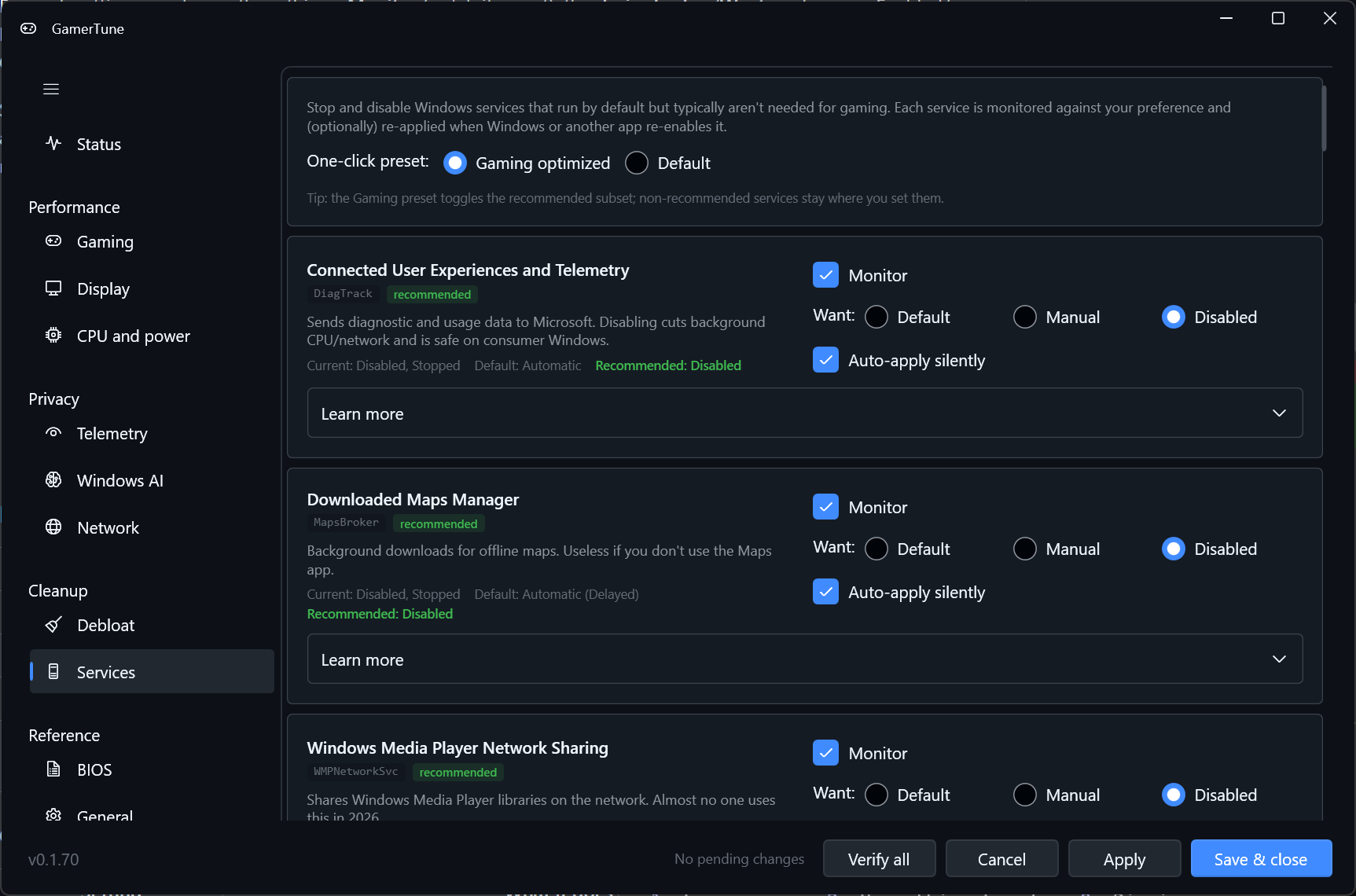
05 / Services
A curated Windows services catalog puts Default, Manual, and Disabled choices in one place. Review each service and choose its startup behavior, with a way back to the Windows default.
Select image to enlarge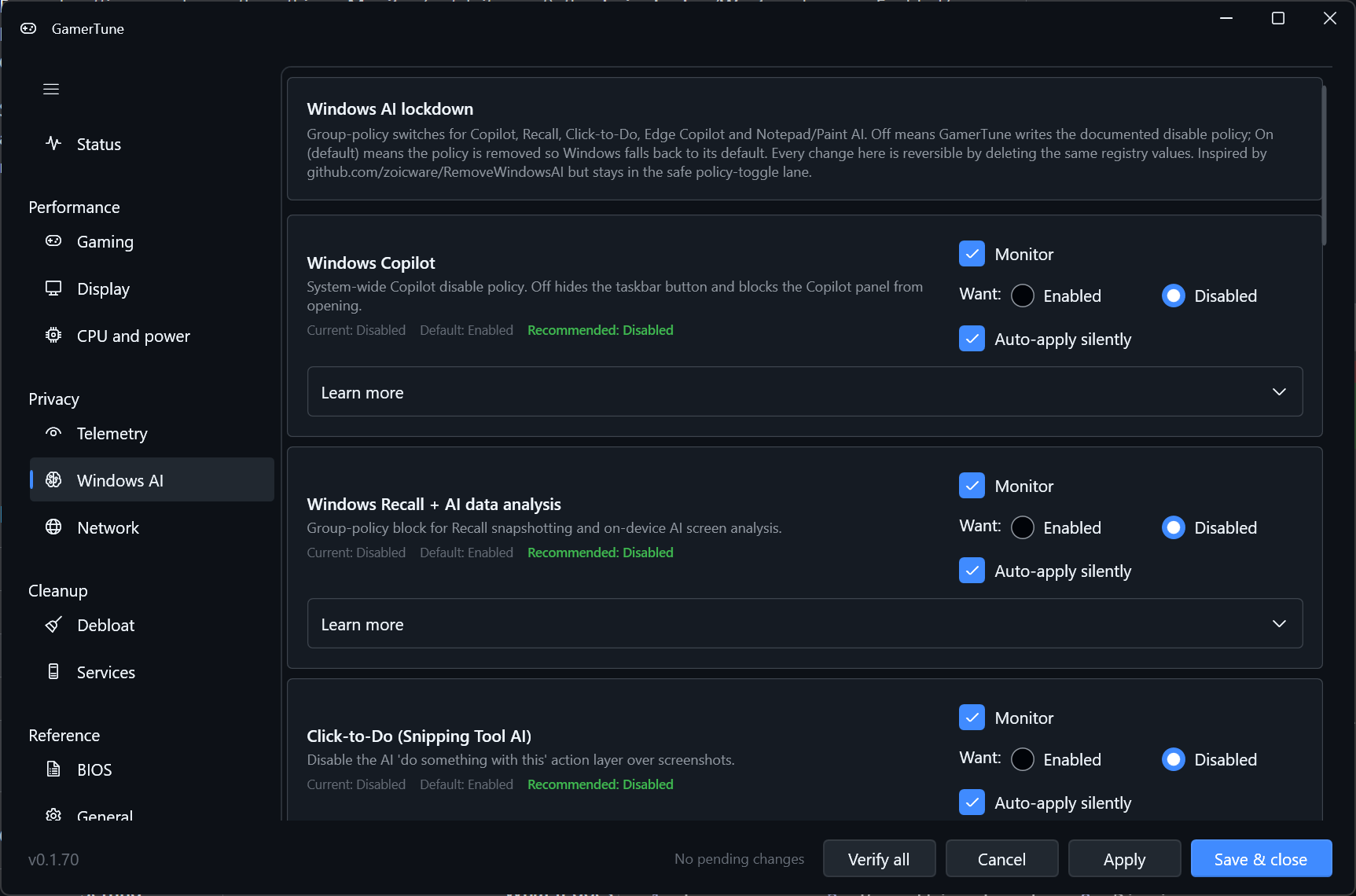
06 / Windows Ai
Policy toggles for Copilot and Recall let you choose how Windows AI features are configured. Keep those preferences alongside your other settings, so you can review privacy choices without hunting through Windows menus.
Select image to enlargeBring display, security, performance, capture, input, privacy/telemetry, network latency, system tuning, and Windows services into one place. See current values, Windows defaults, and recommendations before deciding what to change.
Monitoring pauses entirely during fullscreen and borderless games, and benchmarks including 3DMark, Cinebench, and Geekbench. No polling or automatic settings changes interfere while you play or measure performance.
GamerTune uses about 17 MB of RAM in the tray (38 MB committed), less than a single web browser tab, and about 0.1% of one CPU core. Keep your settings in view with a tiny footprint.
Native Windows 11 Fluent design with light, dark, and system themes fits your desktop. Auto-update checks GitHub Releases on startup and lets you install the latest build in one click.
A closed loop
Check for drift on a 30 s poll. Monitoring pauses during games and benchmarks.
You choose what to monitor and whether to enable auto-apply, setting by setting.
Apply the change and read the value back. Before, target, and after values are logged.
What you can do
Real tasks, phrased the way you search for them — each tied to a setting GamerTune actually manages. No magic FPS boost, just correct, established tweaks kept in place.
Inspectable and reversible
GamerTune asks to change your Windows settings. You should be able to inspect how it works, understand the access it needs, and undo every change.
That is why the source, release checks, and change records are available for you to examine.
Inspect the sourceGamerTune runs in user mode with no kernel drivers, hooks, or DPC callbacks. It does not install a component inside the Windows kernel to monitor your settings.
System-wide (HKLM) changes go through an elevated helper that shows a standard Windows User Account Control (UAC) prompt. Per-user changes are direct. You can see when a change requires administrator access.
Every change is reversible and written to a change log with before, target, and after values, plus a copy-paste verify command. You can inspect what actually changed and verify it independently.
Each release is scanned on VirusTotal, and the project runs OpenSSF Scorecard. These provide malware scan results and checks of project security practices for you to review.
Open source under the MIT license, with reproducible, deterministic builds. You can inspect the code and reproduce a build to check that the download matches its source.
The app makes no network calls except the GitHub Releases update check. Your settings monitoring stays on your PC.
Questions
Honest answers about access, safety, performance, and updates.
Start from GamerTune's recommended preset, then review each setting's current value, Windows default, and recommendation before applying. GamerTune applies established latency and performance tweaks and keeps them correct after updates; it does not promise magic FPS gains.
Yes, in the debloat sense. GamerTune turns off ads, suggestion cards, and silent app installs with reversible policy changes, curates Windows services so you can set unwanted ones to Manual or Disabled, and disables Windows AI features such as Copilot and Recall. It also offers an optional, one-way removal of Microsoft’s own AI packages — such as Microsoft.Copilot and the Microsoft 365 Copilot launcher — which cannot be undone. It targets Windows’ built-in AI and promotional bloat, not uninstalling your own apps.
Yes. The Windows AI tab has reversible policy toggles for Copilot, Recall, and related features, so you can turn them off and keep that choice from drifting back after a Windows update. It also offers an optional, one-way removal of the underlying AI packages (such as Microsoft.Copilot) — a separate, deliberate step that cannot be undone.
There is no single best plan. GamerTune helps you pick the right power plan and CPU core-parking for your hardware — the X3D-aware choice for chips like the Ryzen 7 7800X3D rather than a blind High Performance plan, which can hurt more than it helps on those parts.
GamerTune surfaces latency-related input settings and the contested network tweaks — Nagle's algorithm, Network Throttling, and NIC power management — with each flagged for what it does, so you can apply the ones that fit your setup and reverse them if needed.
Yes. GamerTune is free and open source under the MIT license, with no paid tier.
No. Changes are staged so you review them before clicking Apply. Per-setting auto-apply is opt-in, off by default.
GamerTune runs in user mode with no kernel hooks, drivers, or process spawning for reads. Writes to HKLM go through an elevated helper you approve with UAC. Every change is reversible and logged, every release is scanned on VirusTotal, tracked with an OpenSSF Scorecard, and built reproducibly.
No. Polling pauses entirely during fullscreen and borderless games and benchmarks. In the tray GamerTune uses about 17 MB of RAM (38 MB committed), less than a single web browser tab, and about 34 ms of CPU per 30-second check (about 0.1% of one core). Every figure is measured on each build.
No. GamerTune supports Windows 11 only for now.
GamerTune checks GitHub Releases on startup and installs the latest build in one click.
Each release links its VirusTotal scans, and builds are reproducible and deterministic so you can confirm what you run matches the source.
Your turn
Anonymous — no account, no email required. Tell me what GamerTune should do next, or finally fix the name.